Chronological Tables — ELN Feature
Redesigned a key data-entry feature that kept major clients onboard
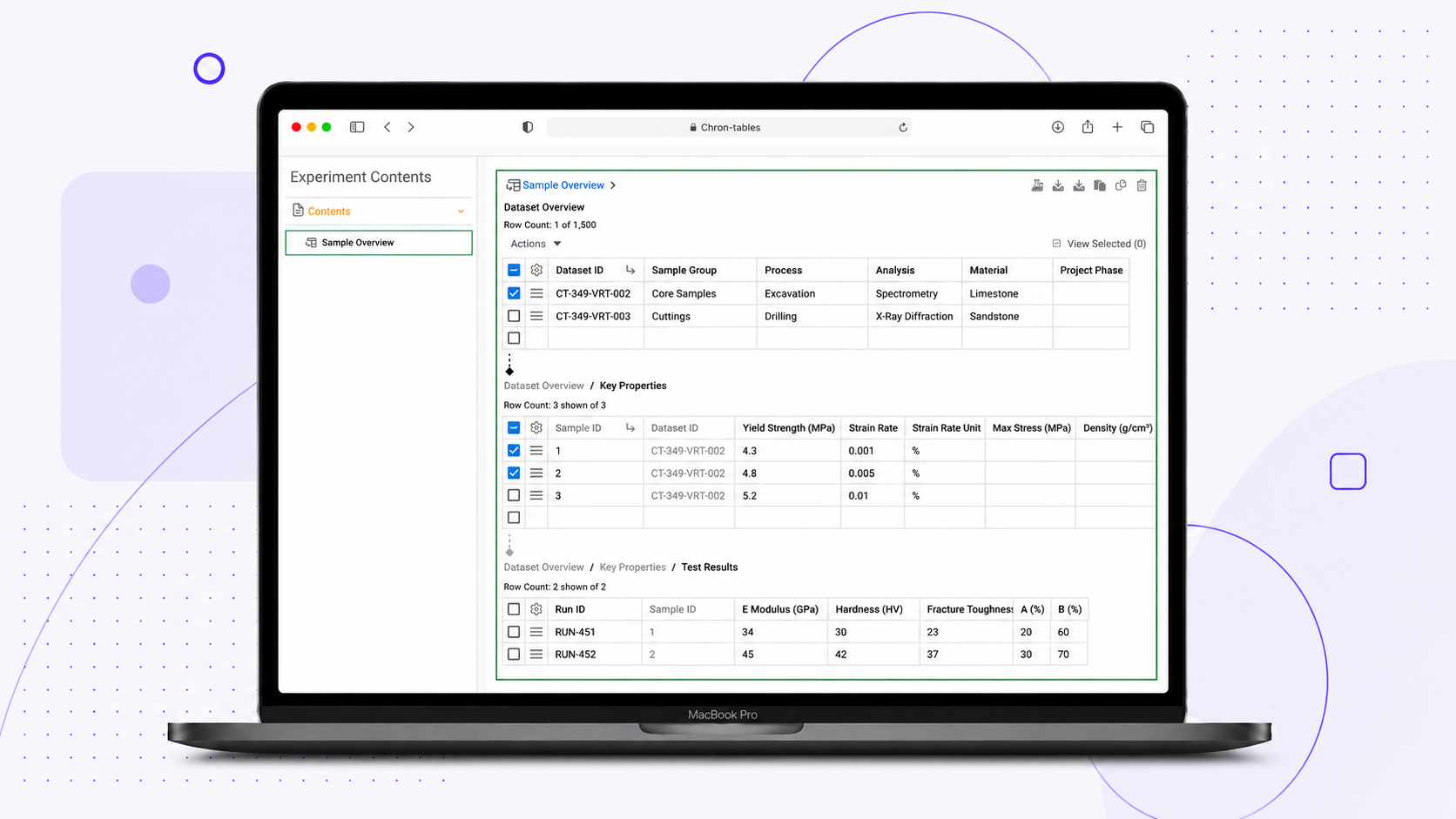
01.The Context
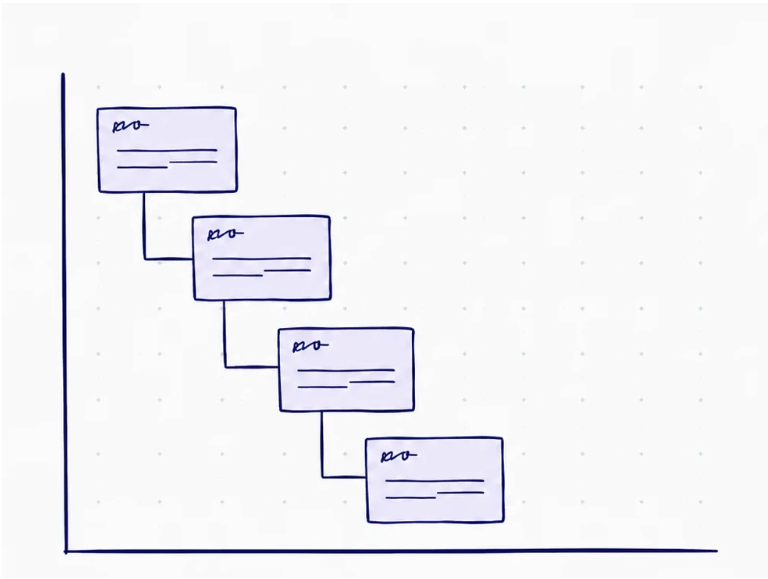
Notebook ELN (Electronic Lab Notebook) is a platform used by more than 1 million scientists. I was brought in as the lead designer for core Notebook functionality while simultaneously supporting two other teams.
Several customers requested a feature from an older, sunset product. This feature was critical to their internal workflow processes, and they made it clear: port this functionality into our current product or risk losing them as customers.
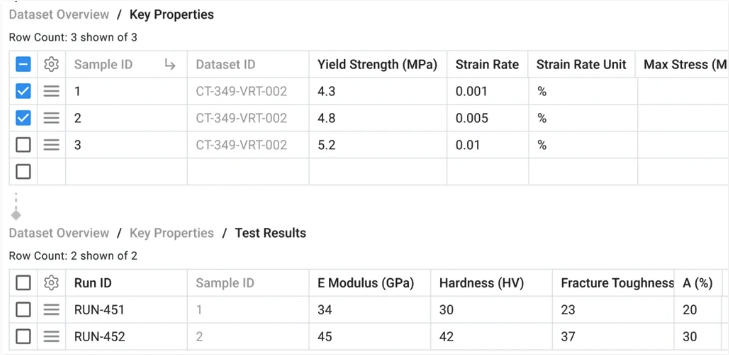
In a nutshell, the feature involved adding rows to “child” tables and associating those rows with a “parent” table.
02.Constraints
The Product Manager and I walked through a customer demo of the sunset product and how they used it. This led to discussions around scope and constraints with the Product Manager.
We established a tentative list of requirements and constraints:
- Limit table depth to four levels (parent, child, grandchild, great-grandchild)
- Allow users to add data starting from either the top or bottom level
- To fit our current product paradigm, we would have two sections for two personas: an admin setup part and an end-user part where interaction with the data happens.

For this case study I will only be documenting the end-user part.
03.Iteration 1
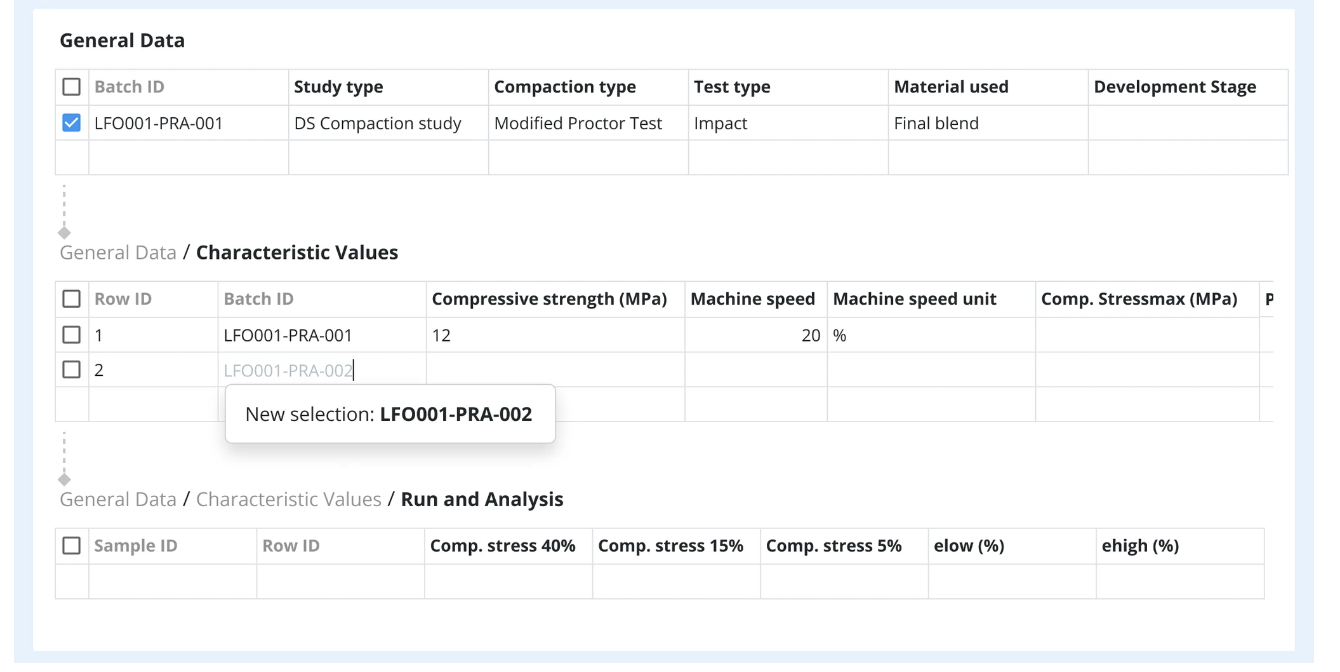
In the first design, the intent was to “expose” all tables allowing users to interact directly with the tables rather than interacting in a panel or modal.
This exposure of the tables also made data entry more flexible, so in theory, users could start adding data from the bottom table, which would then feed information to the parent table.
Stakeholders and management did not like this iteration, thinking the relationship between parent and child wasn’t clear enough.
04.Iteration 2
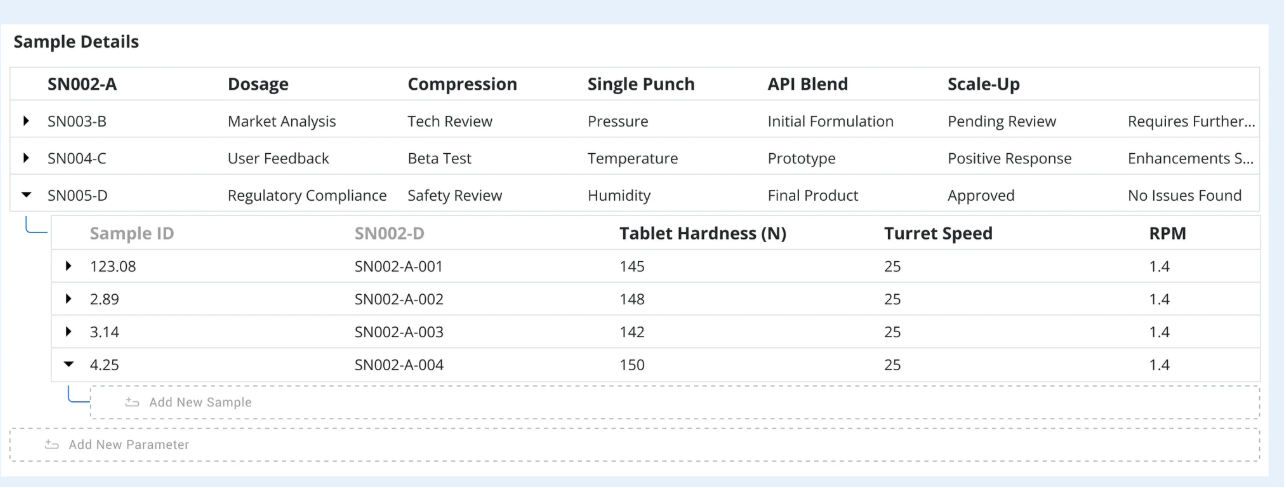
I worked with another designer to create a design where values were nested within parent values.
When we demoed this to stakeholders, they liked the direction more — but in a second round of talks, our customers found the expand/collapse interaction too cumbersome.
05.Progress Stalled
Around this time, progress stalled. There were opinions and assumptions about how the feature could function, but no real way to validate those assumptions.
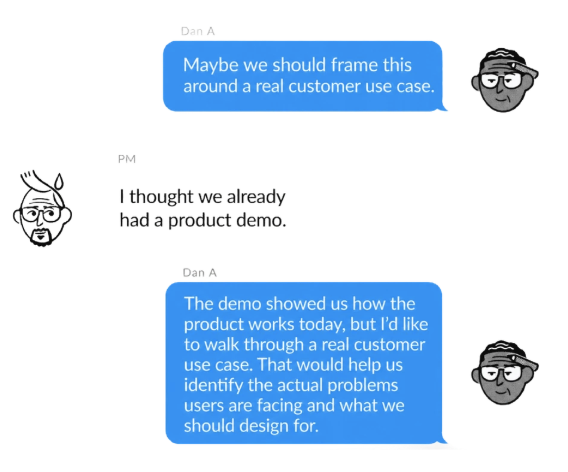
In an attempt to get unstuck, I asked the PM if we could schedule another meeting with customers to observe an actual use case with their familiar tool — not a demo of how the tool works, but a real problem the tool was solving.
From this, two problems were identified:
- Their use cases always involved a top-down approach, meaning our flexible solution wouldn’t have worked.
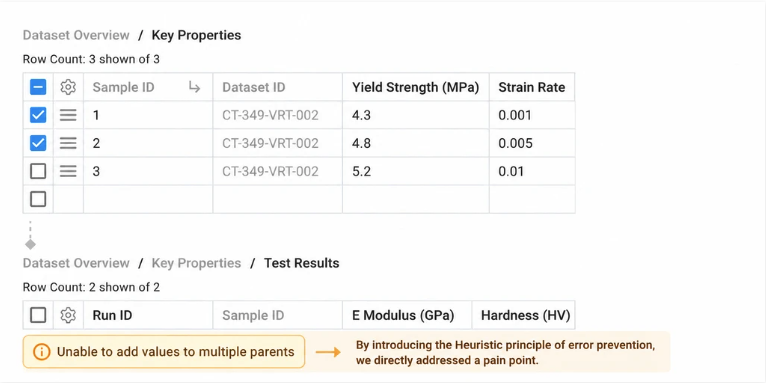
- We also noticed how easy it was to unexpectedly trigger error popups in the previous product when trying to add to multiple parents at once.
06.Iteration 3
We mocked up a design focused solely on the use cases presented — a top-down approach that reflected how the customers were already working.
We also introduced areas where we could prevent errors from occurring in the first place.
07.Reflection
Results
- The feature shipped on time.
- The customers who requested it have continued using it for over a year.
Learnings
- Seeing users interact with the product live revealed pain points beyond what they told us.
- Early assumptions can be helpful starting points, but they need to be revisited.
- Re-centering the conversation on user workflows helps teams move forward with confidence.